Hello. It seems that it is not possible to put temporary QTH near the coast or on islands. Unable to access confirm location, when using Set Location On Map. We do have lots of islands in North Norway and many IOTAs.
Under your profile and operating locations, you should be able to create multiple locations and either start a new Logbook for that location and when setting up the logbook select the location as it default

God dag, kjære radioamatør
In every logbook you can set respectively change your actual position (QTH):
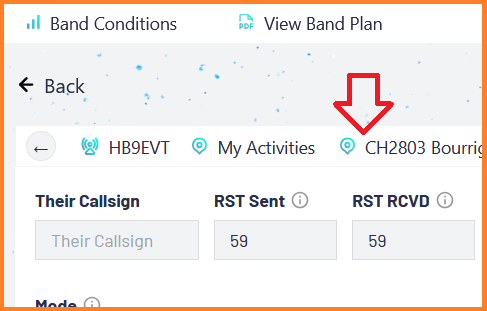
If you want to change your position in the logbook you have actually open, click on the position icon (or the name of the actual position).
A window opens, where you can choose between “saved location” and “custom location”.
Saved Location
Use “Saved Location” for all your places where you will be again and again. It doesn’t matter if it’s regularly or just once a year.

Choose one of the locations you have already saved or add a new QTH which you want to save for future use.
Custom Location
Use “Custom Location” if you don’t plan to visit this location recurring.
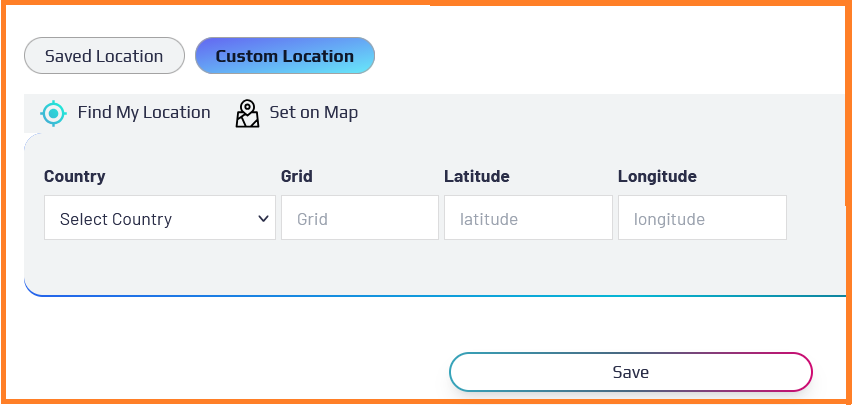
It is sufficient to enter your 6-digit grid (Maidenhead Locator) of your actual position.
Important
Changes to your position (as well as to your call sign[1] or to your activity) will be taken into account in all future logbook entries. However, this will not change the information in previously saved logbook entries.
It is up to you whether you prefer to open a separate logbook for each IOTA activation or whether you have a single IOTA logbook and simply change the island number and position before the next activation.
73 Pepe
Are you LA6LOA or LA6LOA/P or LA6LOA/M ? ↩︎
Hello my friend.
I am aware of that solution. I have set up two logs.
One is my local QTH and I had to do as you describe.
The other is on the mobile log for my RV. It is much more difficult when you don’t have the name of a road or street on the island.
There is no use writing the name of the island, or am I wrong?
73 LA6LOA
-Roy
lør. 8. nov. 2025 kl. 13:52 skrev pepe-wrl via World Radio League <notifications@worldradioleague.discoursemail.com>:
God dag Roy
We are talking about “Saved Locations” (because for “Custom Locations” you can only set a Grid but not a street address).
You are asking if you can write the name of the island when no street name is available. I tested it with some Norwegian islands. After logging a test contact (which I deleted just after the test), the map of the contact showed my position exactly on that island. So it seems working.
But you wrote, you were activating IOTA islands. Then the solution is easy: Open in your logbook the Activity window, choose IOTA and search with the name of the island the IOTA number (e.g. Island Røstlandet → EU-076). As soon you have clicked on the island number, it sets automatically the correct Grid for that island.
There was only one problem: the island names are apparently written using letters from the English alphabet. No island number was found for “Røstlandet.” I had to write it as “Rostlandet” in order for the island number to be found.
73 Pepe