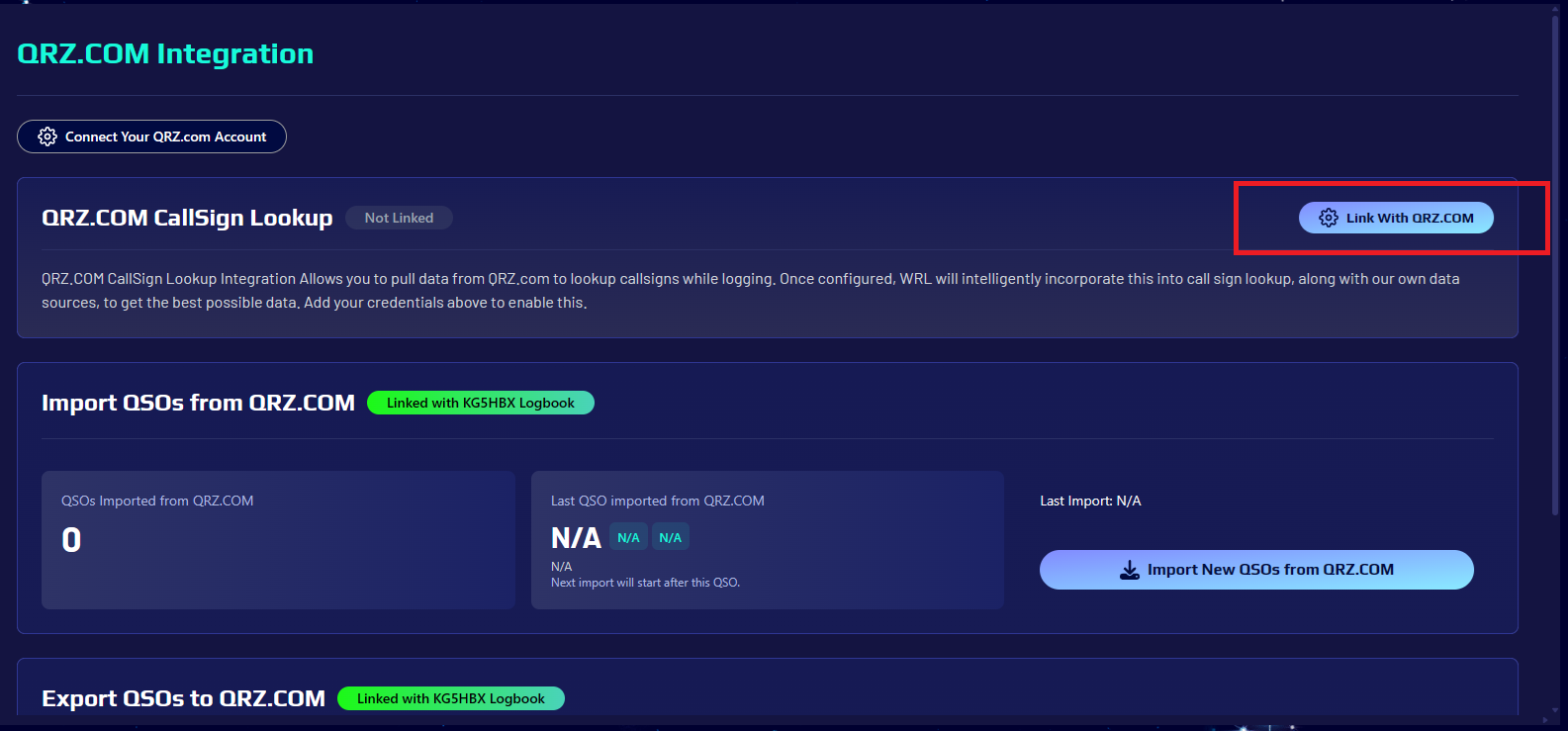
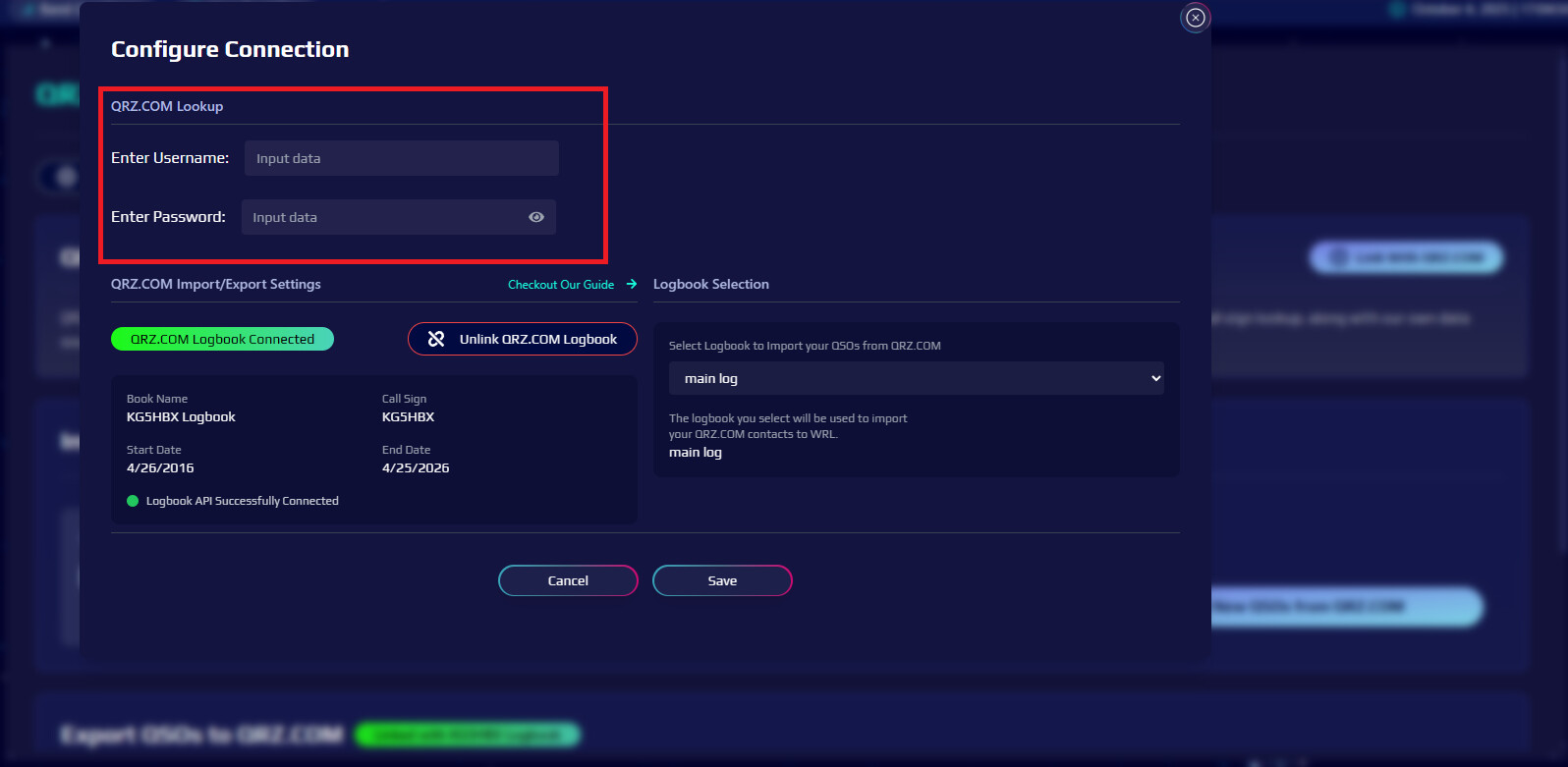
Hello. this feature is not working on my end. I have made sure I am in putting my correct QRZ UN and PW. but It keeps telling me they are incorrect. I have the paid XML subscription.
I’m not sure how important this feature is in reality, but that’s what I’m having trouble with.
QRZ CallSign Lookup
Not Linked
Link With QRZ
QRZ CallSign Lookup Integration Allows you to pull data from QRZ to lookup callsigns while logging. Once configured, WRL will intelligently incorporate this into call sign lookup, along with our own data sources, to get the best possible data. Add your credentials above to enable this.
Since you have a QRZ subscription I would highly suggest enabling the call sign lookup at least until we launch our internal call sign lookup database. Looking in your account it looks like its not enabled. First go to: World Radio League and then click the ‘Link with QRZ.COM’ button (see first screenshot). Then all you should have to do is enter your username and password (see second screenshot) that you use to log into qrz.com with and then click the save button. If for some reason its kicking it back, i would double and tripple check you are using the correct callsign and password (its usually your callsign instead of another username or email). All we do is validate the credentials with QRZ when you enter them and click save. It then goes and gets the session key needed to use the QRZ API for the call sign lookups.
@KG5HBX I would goto QRZ.com and logout, then login with the username (or callsign) and password you are trying to use in the WRL integration page and make sure its working properly because like I said we are just passing QRZ what the user enters in the ‘username’ and ‘password’ fields and we dont have any control over the authentication side of it.
The QRZ API is used for pulling and pushing QSO data to users logbooks not for doing callsign lookups. We do use the API for the import/export integration. To enable callsign lookup though, QRZ requires a username/password.